
What is a Flatplan?
A flatplan (an alternative spelling might be flat-plan or flat plan) is a visual page-by-page representation of a magazine or publication. It shows which pages are editorial, where you place advertising, and how you structure the content before the layout phase begins. Publishing teams benefit from flatplans as they define exactly how they distribute content and advertisements throughout a magazine.
What does a flatplan show?
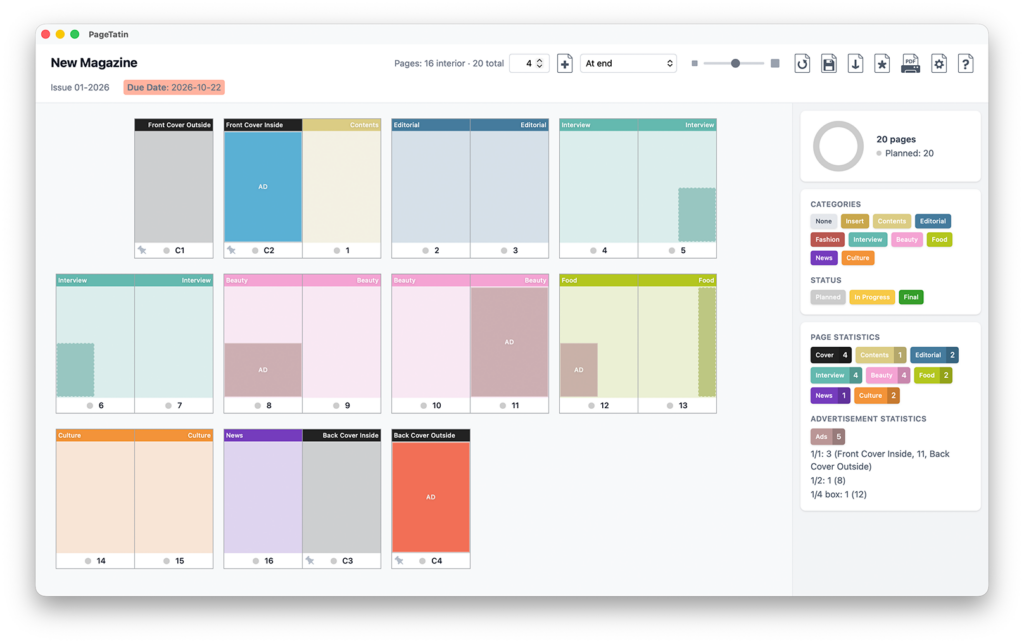
Usually a flatplan looks like a miniaturized version of a magazine, book, fanzine or any publication you can think of. It is made up of single pages that are shown as spreads, just the same way as if you were holding a magazine in your hands. Some designers even like to use a complete empty flatplan as a framework so they can scribble their ideas and notes onto it.
Before the layout phase starts, the flatplan only holds the structure of the magazine: the different sections and notes regarding the content. When planning for the placement of advertisements, a flatplan is a valuable tool that quickly shows which pages will carry an ad.
Why do publishers use a flatplan?
The simple answer is: predictability. Once you agree on the content, you can transfer it to the flatplan visually. Every editor, journalist and designer knows exactly what will be featured on which page. It is quite common to print out a flatplan and pin it to boards for discussion. If the teams decide to move stories or pages elsewhere in the publication, this is an easy way to work on it.
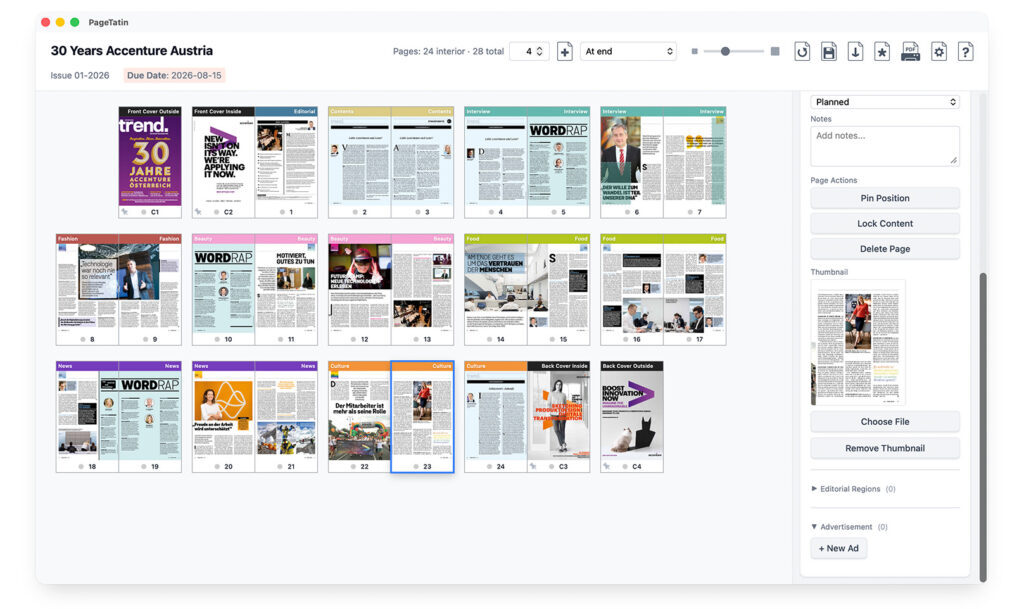
Another benefit of a flatplan is that once you finished designing pages and you place the thumbnails onto the flatplan, you clearly see if spreads have a certain design rhythm or if there are spreads that look too much like others. So the flatplan is also a tool for visual control.
How do you build a flatplan?
When you look at a publication, you can see that it contains many different sections. You have cover pages, content pages, the editor’s note and then – depending on the topic of the magazine – many different dedicated sections holding the articles. Furthermore, ads are an important part of magazines because they help finance the production of every issue. The flatplan creates a clear image of all these parts.
If you already know the final page count, you can make a grid of pages as your template. Then start filling the pages with more detailed information or thumbnails for ads or layouts. When working with a flatplan, pages can take on a status (like in progress or finished) so everybody involved knows how the work is progressing.
When working on a publication for print, the page count depends on the binding method. Saddle-stitched publications need a number of pages divisible by four (e.g. 16, 24 or 32), while spiral-bound ones only need an even number, divisible by two. A flatplan can ensure that the publication team is on the right track.
Which tools can you use to create a flatplan?
There are many possibilities when it comes to the creation of a flatplan. Widely used tools are:
- Spreadsheet software – often used in the initial phase of planning when gathering information on content. You can adapt cells in spreadsheet software in a way to represent a magazine visually.
- Layout software – designers tend to create a flatplan in the layout or desktop publishing software of choice as they are already familiar with these tools. Of course they lack certain features that you can only leverage with a dedicated flatplan app (for example ad slots, status tracking, easy page moving).
- Dedicated flatplan software – they feature selectable categories, statuses, milestones, easy-to-move pages, ads and editorial regions.
- Publishing systems – these are used for big, multi-channel publications where the whole editorial process as well as the design and layout have to be managed by a big team. Being the most expensive choice, they also offer the biggest toolset.
- Paper & pen – the cheapest and most portable solution where you can also scribble image or illustration ideas.
Depending on the size of the team and how many users need access to the flatplan, you also need to consider whether the flatplan can be shared with others.
Planning your next issue
When it comes to planning publications, planning beats improvisation. Having an exact blueprint of how you structure the publication will prevent errors and avoid chaos. One option for freelancers and small teams is PageTatin, a flatplan app that runs locally on macOS and Windows and is a one-time purchase.